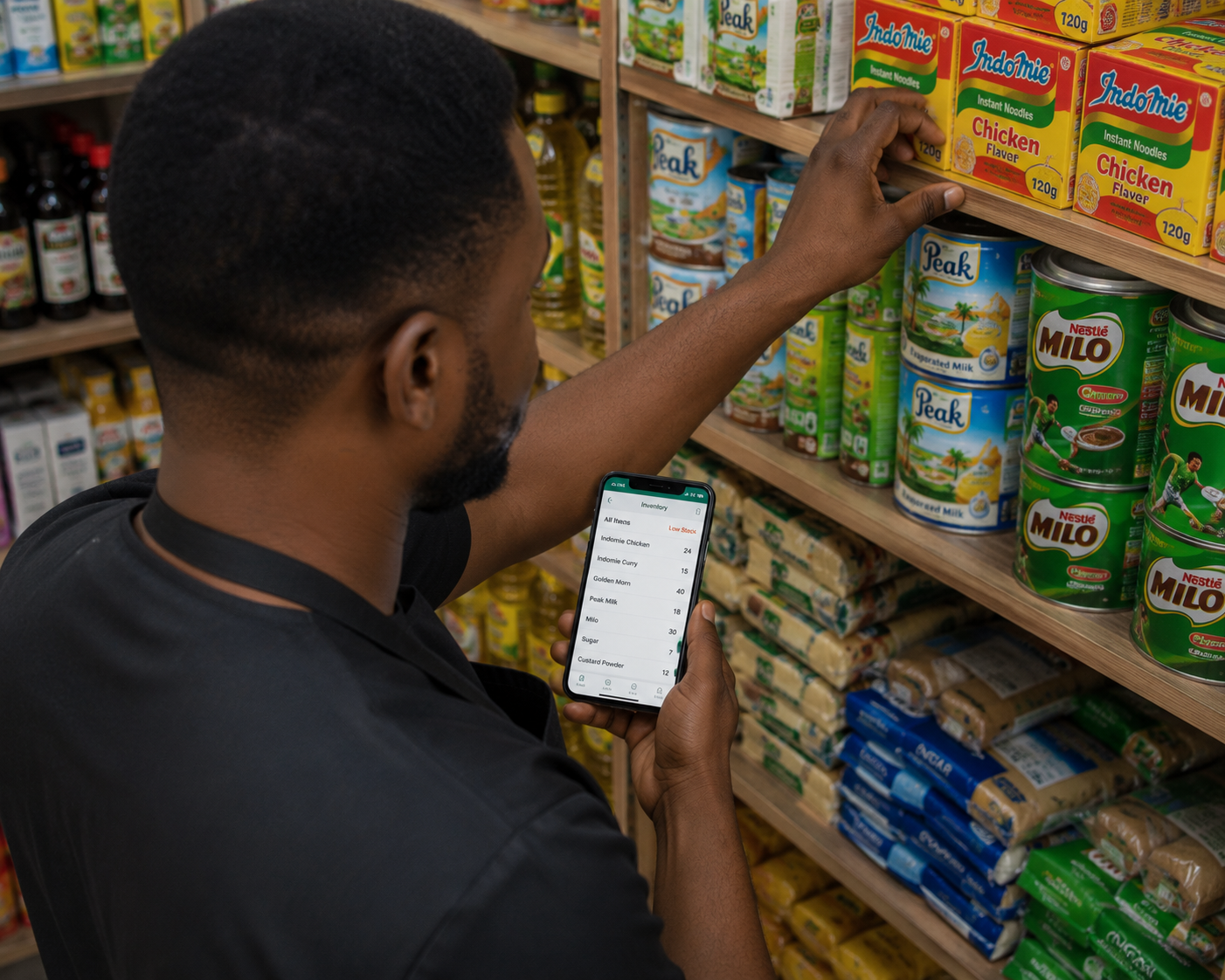
Stock Management vs. Inventory Management — What's the Difference?
The two terms get used interchangeably, but they solve slightly different problems. Inventory management is about your digital catalog — product names, prices, and categories. Stock management is about the physical reality on your shelf: how many units are actually there right now, what's moving, what's not, and catching the gap when what the app says and what's physically present don't match.
Pocket Shop Manager handles both, but its stock management tools are specifically about keeping your physical count accurate and giving you an audit trail for every unit that leaves your shelf.
Every Movement Creates a Record
Every time stock is added, sold, or manually adjusted, PSM logs a stock movement record automatically — what changed, by how much, when, and which staff member made the change. That gives you a complete paper trail without having to keep one yourself, and it's the first place to look when your physical count and your app count disagree.
- Goods arrive — tap the product, then "Add Stock," and enter the quantity received.
- Confirm with a staff PIN so the addition is tied to whoever received the delivery.
- The new quantity is added to your existing total, and a stock movement record is created automatically.
- Cross-reference the physical delivery against what you ordered, right there on your phone.
Catching Shrinkage Before It Becomes a Pattern
Because every addition and sale is timestamped and tied to a staff member, discrepancies between your recorded stock and your physical count become something you can actually investigate — narrowed down to a specific window of time and a specific person, instead of a vague shrug.
Low-Stock and Expiry Alerts Where They Belong
Low-Stock Threshold
Set per product; flagged automatically the moment you drop below it.
Expiry Warnings
7 days' notice before perishable stock expires.
Movement History
A searchable log of every unit added, sold, or adjusted.
Staff-Tagged Changes
Every stock change tied to exactly who made it.
Restocking Decisions Backed by Real Numbers
Combined with your Business Reports, stock management tells you not just what's low, but what's worth prioritising when cash for restocking is limited — your fastest movers versus the items quietly sitting on the shelf for weeks. That's the difference between restocking reactively and restocking strategically.
Handling Damaged or Written-Off Stock
Not every unit that leaves your shelf was sold — breakages, spoilage, and damage happen in any physical retail business. Recording these as stock adjustments rather than quietly ignoring them keeps your numbers honest: your reports reflect what actually happened to your stock, not an inflated picture where "missing" items are simply unaccounted for.
A Habit, Not a Project
The biggest reason stock control fails in small shops isn't a lack of willingness — it's that proper stock-taking feels like a big, occasional project instead of a small daily habit. Because PSM logs every movement automatically as part of the normal selling and restocking flow, there's no separate stock-take event to schedule and dread. The record simply exists, continuously, as a side effect of running the shop normally.
Who Stock Management Is Built For
This matters most for shops with real physical throughput — supermarkets, provision stores, pharmacies, and electronics sellers moving dozens or hundreds of units a day across multiple staff members. The busier the shop, the harder accurate stock control becomes by memory alone, and the more a system that tracks every movement automatically pays for itself in caught errors and prevented losses.
Frequently Asked Questions

Ready to Run Your Shop From Your Pocket?
Join the first 10,000 Nigerian shop owners locking in lifetime Pro access for a one-time ₦10,000 — before pricing moves to a subscription.
🏆 Get Pocket Shop Manager on Google Play