What "Offline POS" Actually Means
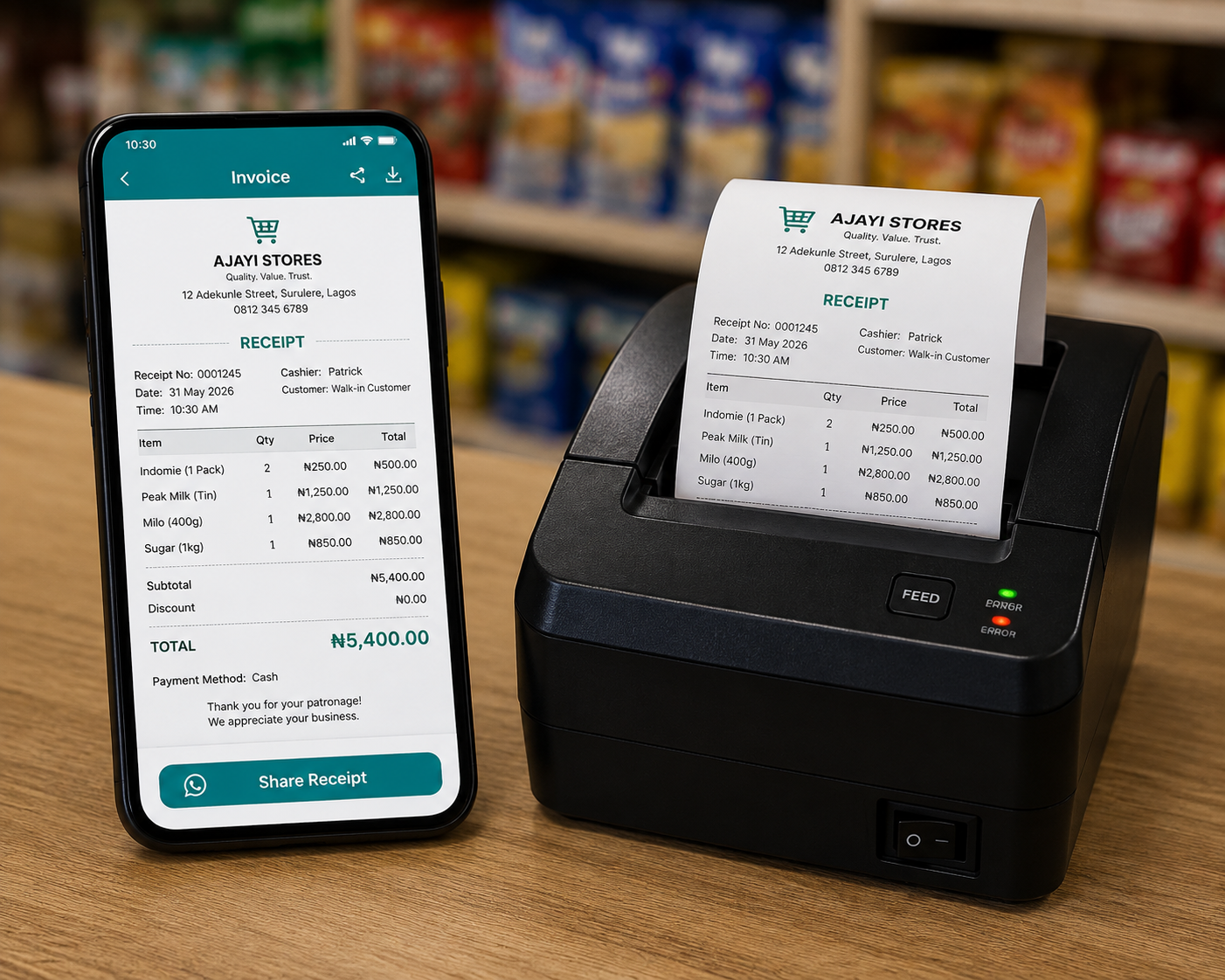
An offline POS (point of sale) app is software that lets you record sales, print receipts, and manage your shop without needing an active internet connection to complete a transaction. Every sale is saved directly to your phone the instant you make it — not to a server somewhere that has to respond before your customer can walk away with their goods.
This matters more in Nigeria than almost anywhere else. Between NEPA/PHCN power interruptions, patchy 4G coverage in many markets, and the simple cost of mobile data, a shop owner who depends on a live internet connection to sell a bag of rice or a phone charger is one dropped signal away from a frustrated customer and a lost sale. Pocket Shop Manager (PSM) was built offline-first from day one, specifically for this reality.
Why Nigerian Shop Owners Need an Offline-First App
Most POS and inventory apps on the Play Store were built for markets with reliable broadband and 4G everywhere — they assume a live connection and simply stall, spin, or fail when one isn't available. That's a serious problem for a provision store in Alaba, a boutique in Wuse Market, or a pharmacy in Enugu that might lose signal several times a day.
- No connectivity, no problem. Every sale, expense, and stock update is written straight to your device.
- No data wasted. You're not burning your data bundle just to ring up a sale of Indomie and a bottle of Coke.
- No queues at the counter. Customers don't wait behind a spinning loading icon while your app tries to "connect."
- No lost sales during outages. Whether it's NEPA taking light or your network provider having a bad day, your shop keeps running.
How Pocket Shop Manager Works Without Internet
PSM uses a local-first database (Dexie.js / IndexedDB) that lives entirely on your phone. Every action you take — recording a sale, adding a product, logging an expense, marking a debt as paid — writes to that local database immediately, with zero dependency on a network round-trip.
- Open the app and unlock it with your 6-digit Master Code or your staff PIN — no login server required.
- Tap "Record Sale," add items to the cart, and choose a payment method: Cash, POS Terminal, or Bank Transfer.
- Confirm the sale. It's saved to your device instantly and a unique invoice number (PSM-000001 format) is generated.
- Print a thermal receipt or generate a WhatsApp invoice — both work offline; WhatsApp delivery simply queues until you're back online.
- Your stock count, profit numbers, and reports all update in real time, locally, with no lag.
What Happens When You're Back Online
Offline-first doesn't mean offline-only. Once your phone reconnects to Wi-Fi or mobile data, PSM's Adaptive Sync Engine quietly uploads your day's activity to your own private Google Drive in the background, batching updates efficiently instead of hammering your data plan with constant small requests.
Offline POS vs. Typical Online-Only Apps
| Capability | Pocket Shop Manager | Typical Online-Only POS App |
|---|---|---|
| Record a sale with no internet | Always works | Fails or freezes |
| Print a receipt offline | Yes, via Bluetooth/Wi-Fi thermal printer | Often unavailable |
| View stock levels offline | Instant, local data | Requires server response |
| Data usage per sale | Zero (syncs later, batched) | Data used per transaction |
| Works during NEPA/network outages | Fully functional | Degraded or unusable |
Everything You Can Do Without a Connection
Record Sales
Full point-of-sale checkout, discounts, and multiple payment methods.
Manage Inventory
Add products, adjust stock, and get low-stock alerts — all local.
Print Receipts
Bluetooth ESC/POS thermal printing needs no network at all.
Track Debts & Expenses
Log every "owing" sale and business cost as it happens.
Staff PIN Login
Staff clock in with a local 4-digit PIN, no server check needed.
View Reports
Today's revenue, profit, and expenses calculate instantly on-device.
Who This Is Built For
Pocket Shop Manager's offline POS is built for the realities of Nigerian retail: provision stores, supermarkets, pharmacies, phone and electronics sellers, fashion boutiques, and market traders who can't afford for a bad network day to mean a bad sales day. If your business needs to keep running exactly the way Nigeria actually works — with or without a signal — this is the point of sale app built for that.
Frequently Asked Questions

Ready to Run Your Shop From Your Pocket?
Join the first 10,000 Nigerian shop owners locking in lifetime Pro access for a one-time ₦10,000 — before pricing moves to a subscription.
🏆 Get Pocket Shop Manager on Google Play